About MyGPSWaypoints

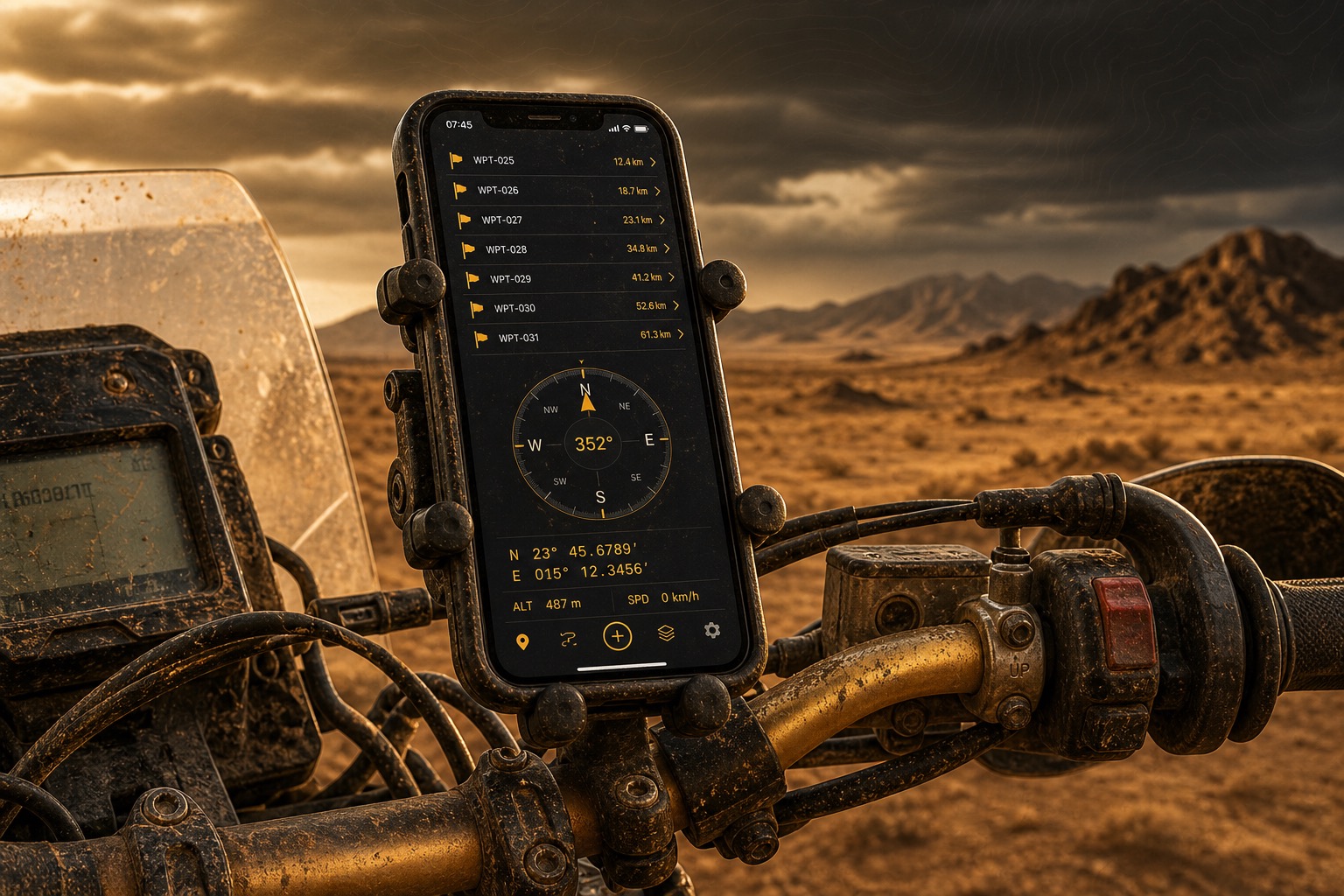
MyGPSWaypoints is a free iOS app that captures exact GPS coordinates in the field and helps you navigate right back to them — fully offline, with no account required. Whether you're overlanding, running a rally stage, hiking, hunting, or exploring by 4x4, it turns the places that matter into precise, organized waypoints you can always come back to.
Log your live position with one tap, name and classify it, stamp the location data onto a photo, and follow a live compass straight to your target. Import and export GPX to work with your other GPS tools, and back up your entire library — waypoints and photos — as a single file.
No account required, and it's completely free. Your waypoints and photos stay on your device, and everything works fully offline — no cell signal or data connection needed. Get out there, and always find your way back.
Screenshots
Key Features
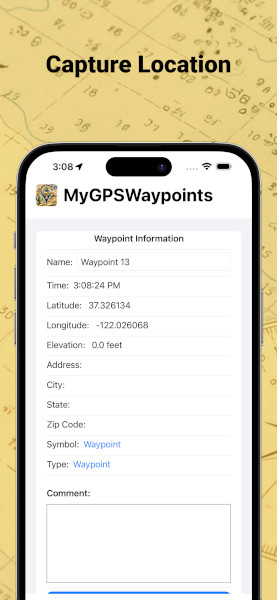
- Capture Waypoints — Log your live GPS position with one tap, automatically reverse-geocoded to a street address.
- Name & Classify — Tag each waypoint with 30+ symbols and 17 activity types, plus elevation, coordinates, and field notes.
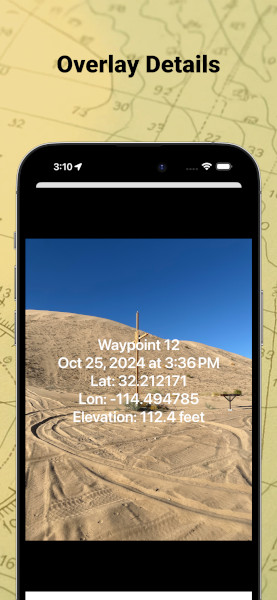
- Data-Stamped Photos — Burn location data onto your photos: name, date, coordinates, elevation, address, and notes.
- Customizable Overlays — Choose which fields appear, the position, alignment, text size, and colors, with light or dark styling — re-edit and re-share anytime.
- Interactive Map — Standard, hybrid, and satellite views with all of your waypoints pinned in place.
- Live Compass & Bearing — An orientation-aware heading and navigation arrow with real-time distance and bearing to any target.
- Telemetry Readout — GPS status, coordinates, elevation, distance, and heading that expands or minimizes to keep the map clear.
- Navigate Anywhere — Jump to a waypoint in Apple Maps, or head straight for it on the in-app map.
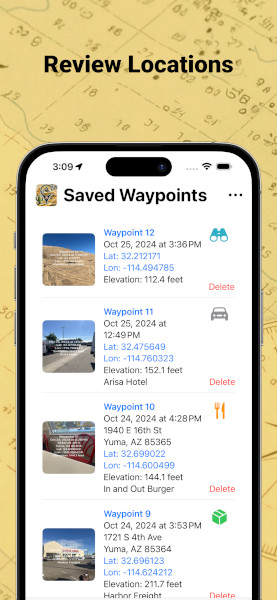
- Organized Library — Browse everything with photo thumbnails; edit details, toggle map visibility, and share a photo or location.
- GPX Import & Export — Move waypoints between MyGPSWaypoints and your other GPS tools and devices.
- Backup & Restore — Save and restore your entire library — waypoints and photos — as a single file.
- Private by Design — No account required. Your waypoints and photos stay on your device.
Built for the Way You Explore
Overlanding & 4x4
Mark fuel stops, camp spots, trail junctions, and gate codes across a multi-day route, then follow a live compass back to any of them when the two-track disappears. Everything works offline, and GPX export keeps your library in sync with the rest of your rig's navigation.
Hiking & Backcountry
Drop a waypoint at the trailhead, a water source, or the spot where the trail went faint — and navigate back with a real-time bearing even with no cell signal. Save your markers before you lose service, and a dead zone never means a lost trail.
Hunting & Fishing
Save stands, blinds, honey holes, and access points with data-stamped photos and field notes, classified by your own symbols and activity types. Your spots stay private on your device — nothing is uploaded, shared, or sold.
Rally & Motorsport
Log stage notes, service points, and hazards on the move, each with precise coordinates and a data-stamped photo. A minimal telemetry readout keeps the map clear at speed, and it all runs offline where coverage is thin.
Why MyGPSWaypoints
| Feature | MyGPSWaypoints | Many GPS apps |
|---|---|---|
| Price | Free | Subscription common |
| Account required | No | Often |
| Works offline | Yes | Varies |
| Data-stamped photos | Yes | Rare |
| GPX import & export | Yes | Varies |
| Where your data lives | On your device | Often in the cloud |
Made Your Way
App Information
Available on the App Store iOS
Privacy: Your waypoints and photos stay on your device. Nothing is shared unless you choose to export, back up, or share it.
Location: MyGPSWaypoints uses your location to capture waypoints, show your position on the map, and drive the live compass, heading, distance, and bearing readouts.
Feature requests: Have an idea? Submit and vote on features to help shape where MyGPSWaypoints goes next.
Frequently Asked Questions
Does MyGPSWaypoints work offline?
Yes. MyGPSWaypoints works fully offline — once installed, you can capture waypoints and navigate back to them with no cell signal or data connection. The live compass, coordinates, elevation, distance, and bearing all work without service; only fresh map tiles may need a connection to load.
Is MyGPSWaypoints free?
Yes. MyGPSWaypoints is free to download on the App Store, with no subscription required.
Do I need an account?
No. There is no sign-up and no account. Your waypoints and photos are stored on your device, not in the cloud.
How do I import and export GPX files on iPhone?
MyGPSWaypoints supports standard GPX import and export, so you can move waypoints between it and other GPS tools and devices such as Garmin, Gaia GPS, or CalTopo. Before importing a GPX file from another source, you can check it with the free browser-based GPX validator at GPX Analyzer — it runs locally and nothing uploads.
Can I view or edit my exported waypoints on a computer?
Yes. Any GPX file you export opens in the free browser tools at GPX Analyzer — analyze a file's contents, edit or trim it, or convert it to KML or CSV for Google Earth and spreadsheets. Everything runs locally in your browser; your files are never uploaded.
Can I create waypoints from a spreadsheet?
Yes. Convert a CSV of coordinates into a GPX file with the free CSV to GPX converter at GPX Analyzer, then import the GPX into MyGPSWaypoints. The step-by-step guide covers column naming and coordinate formats.
What coordinate formats does it support?
You can display and enter coordinates in decimal degrees (DD), degrees-minutes-seconds (DMS), or degrees-decimal-minutes (DDM), in imperial or metric units. If you need to convert a position between formats — including UTM and MGRS — the free coordinate converter at GPX Analyzer handles all of them, and its Datum 101 guide explains why the same spot can read differently on two maps.
Is my location data private?
Yes. Your waypoints and photos stay on your device and nothing is shared unless you choose to export, back up, or share it. No account is required.
What activities is it built for?
Off-roading, overlanding, rally navigation, hiking, hunting, fishing, and any backcountry trip where you need to mark a spot and find your way back.